Supported devices
NSPanelManager only support ESP32 firmware based Sonoff NSPanel, for other devices, use the web app (more about this below).
Differentiate NSPanel vs NSPanel PRO
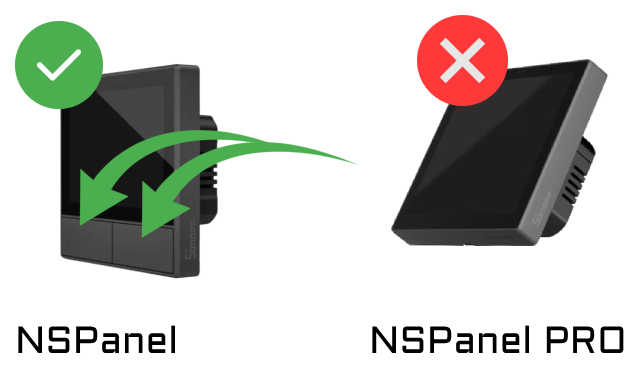
- The PRO version has no physical buttons under the touch screen.
- The PRO version is generally more expensive
- The PRO version runs on Android OS.
- Some variants of the PRO version runs over Zigbee protocol, this is not the case of NSPanel (Only WIFI)
Devices compatible with NSPanel Manager firmware
| Image | Name | Manufacturer | Affiliate links |
|---|---|---|---|
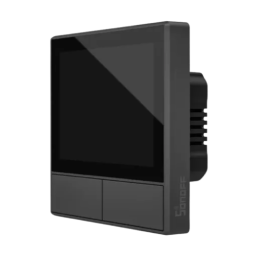 | NSPanel (EU) Black | Sonoff | Itead AliExpress 1 AliExpress 2 AliExpress 3 AliExpress 4 Amazon 1 Amazon 2 |
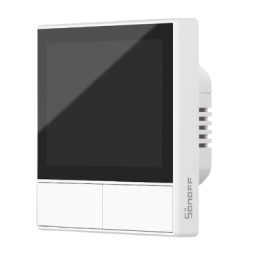 | NSPanel (EU) White | Sonoff | Itead AliExpress 1 AliExpress 2 AliExpress 3 AliExpress 4 Amazon 1 Amazon 2 |
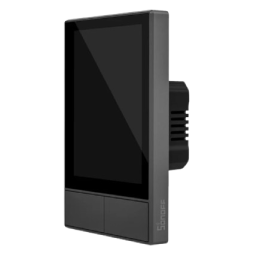 | NSPanel (US) Black | Sonoff | Itead AliExpress 1 AliExpress 2 AliExpress 3 AliExpress 4 Amazon 1 Amazon 2 |
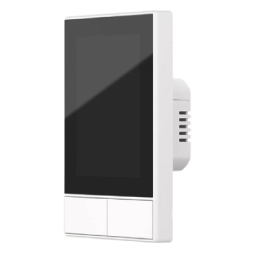 | NSPanel (US) White | Sonoff | Itead AliExpress 1 AliExpress 2 AliExpress 3 AliExpress 4 Amazon 1 Amazon 2 |
When you buy a device using these affiliate links, you support the project. Thank you!
More info on the support page
Other devices
Devices such as the NSPanel pro and shelly wall displays cannot be handled by flashing a different firmware. These devices are often running Android, but as such, they can run a web interface or Android app. A common usecase is to run the Home Assistant app on these devices. If you want to control your home using the NSPanel Manager controller and interface, you can now use the NSPanel Manager web app via any browser. This is available via the /webapp endpoint (ie. http://localhost:8000/webapp). The web app, as with all devices that wishes to join the manager, will have to be accepted in the manager interface before the web app can be used. Please note that while the web app may be available in the stable releases, the particular feature is still to be considered to be a work in progress, ie. beta.